One point Speed Calibration
CalibrationSpeedSpeed calibrationone pointPrerequisites:
For best results SOG data should be available, or an alternative method of estimating vessel speed must be used — e.g. vessel speed can be estimated using nautical measured mile markers or similar landmarks of a known distance apart. For more information, refer to: Nautical Measured Mile Markers
You will need to be underway, with sufficient space to maneuver unhindered.
In order to achieve accurate results, water conditions must be calm with zero tide and zero current.
- Select Adjust speed up / down.
The one point Speed Calibration page is displayed.
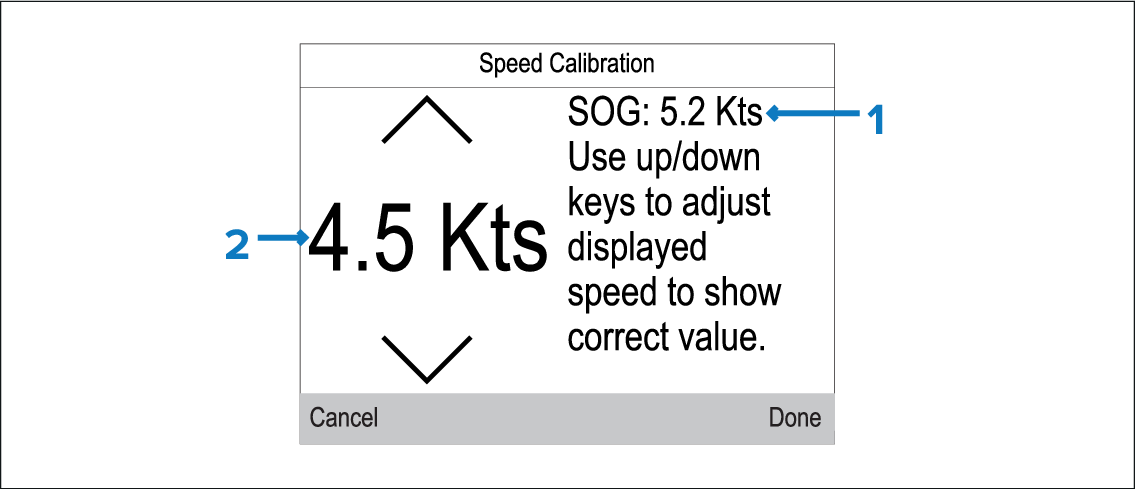
Description
1
SOG speed reading
2
Current speed reading
CalibrationSpeedSpeed calibrationone pointIf SOG data is not available, the SOG value is displayed as dashes.
CalibrationSpeedSpeed calibrationSpeed Run calibration
If you experience significant deviation between SOG and log speed readings at different vessel speeds, a Speed Run Calibration should be performed. For more information, refer to the following section: Performing a Speed Run Calibration using SOG