Wireless handsets must be connected to the radio via a
Wireless hub.
ConnectionsWireless hubWireless hubPairing
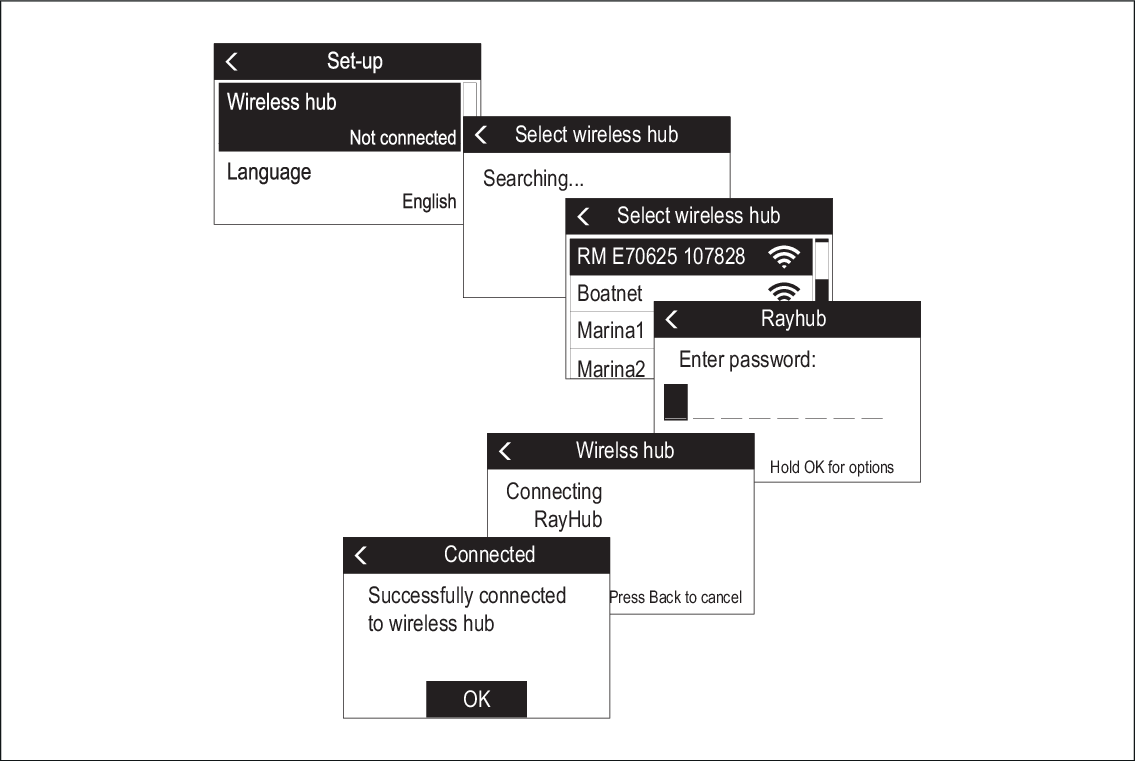
When the Wireless handset is powered on for the first
time you will need to connect it to a Wireless hub.
Select Wireless hub.
The handset will display a list of wireless devices
in range.
Select your Wireless hub from the list.
The Wireless hub’s default name is ‘RM’ followed by the 6
digit part number and 7 digit serial number of the radio that the
Wireless hub is connected to (e.g.: Radio part number: E70625 and
serial number: 1070828 = Hub name: RM E70625 107828).
Enter the password.
Wireless hubPasswordYou can check the Wireless hub’s password using a Wired handset by
selecting:Menu > Set-up > Wireless set-up > Wireless hub set-up > Password.