OSD Menu
You can access and change the camera’s OSD (On-Screen Display) settings via the Web browser user interface or a connected JCU. The menu will be overlaid on the video feed.
JCUOverviewOperationJCU
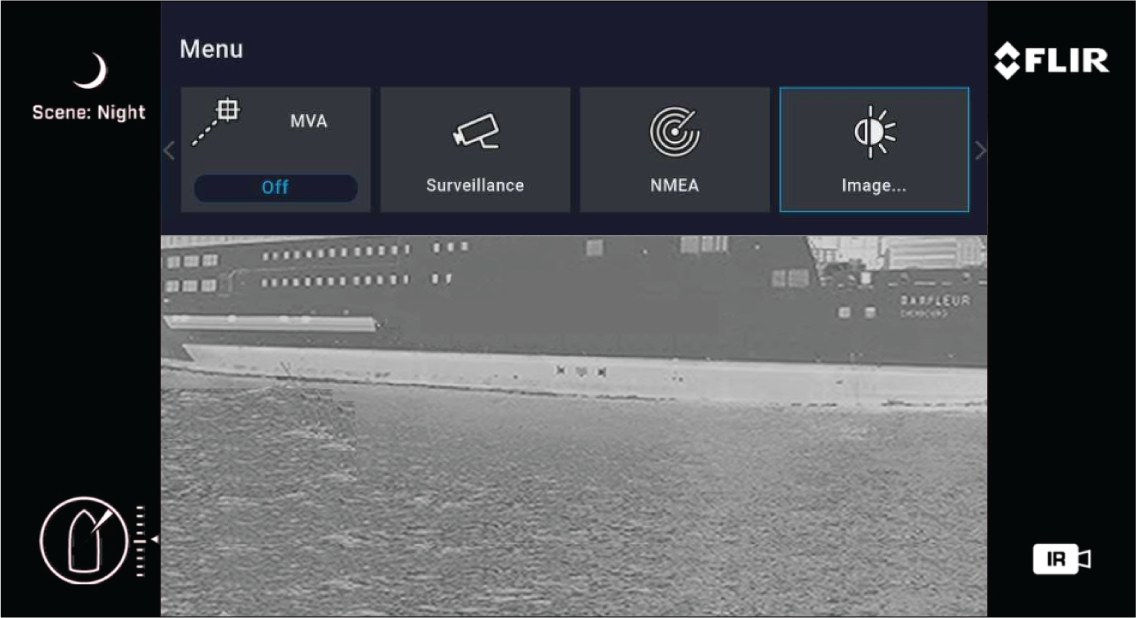
OSD Menu Icons:
Park Camera — The camera will pan and tilt to its predefined Park position. The park position can be defined using the Web browser user interface. For further information, refer to the following section: Camera operation via Web browser
Surveillance — In Surveillance mode, the camera pans continuously left and right until it is taken out of surveillance mode, or the video feed is switched.
MVA — Access MVA (Marine Video Analytics) settings.
NMEA — Enable or disable the processing of external control messages using the NMEA interface.
Image — Access advanced image settings.
Settings — Access advanced camera settings.
Help — Opens the Help menu, which provides access to explanations of on-screen controls and camera features.