Inserting a MicroSD card — Object Recognition Unit
The Object Recognition Unit has a single slot MicroSD card reader located at the top of the unit for the purpose of software updates.
Software updatesObject Recognition UnitMicroSD
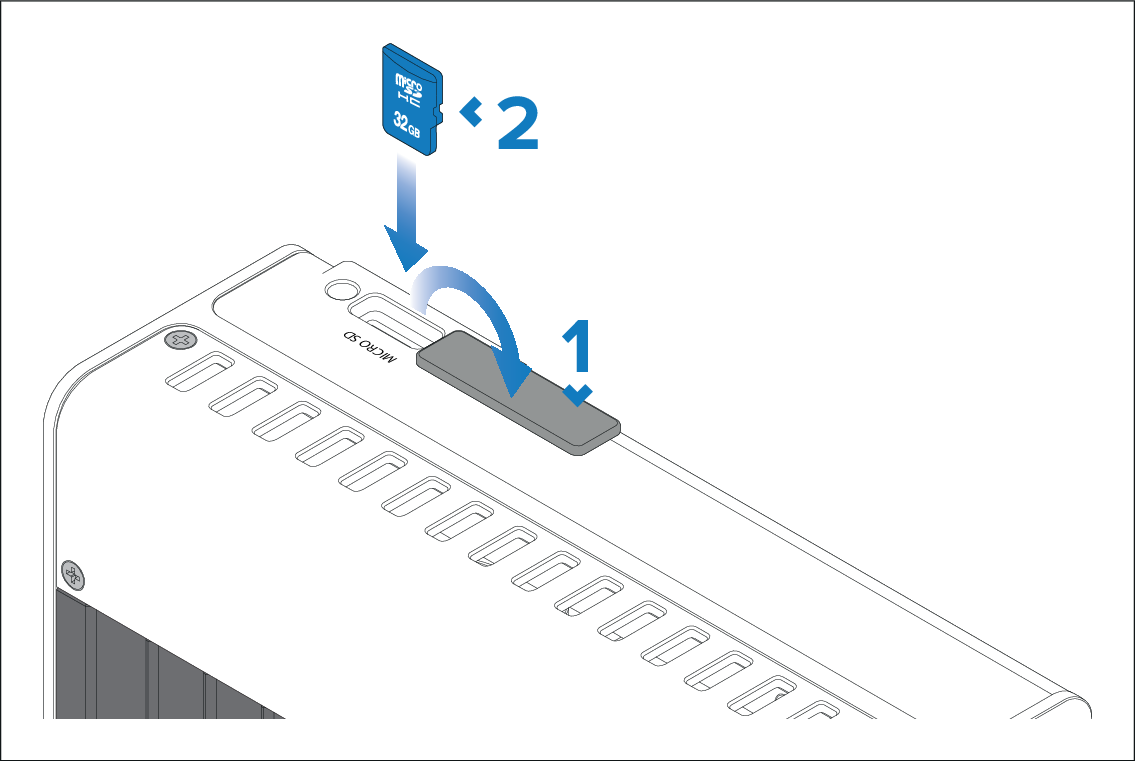
In order to insert your microSD card:
- Pull back the microSD card reader cover as shown above.
- Position the microSD card with the contacts facing down and push into the card into the slot.
Note
The microSD card slot is fitted with a protective cap.
The protective cap should remain in place until the microSD card is inserted. If a microSD card insertion is not required then the protective cap should not be removed.