LED diagnostics
Your network switch has diagnostic LEDs on the front of the unit. These LEDs are used to identify the unit’s status.
Power Port LED:
| TroubleshootingPower LED diagnosticsLED Indication | LED status and action required |
|---|---|
 |
(Green) Powered up / Ok Normal operation — no user action is required. |
 |
(Amber) Low power and operational (Voltage supplied: 9 V – 10.8 V) PoE functionality is disabled when the Voltage supplied is between 9 V – 10.8 V.
|
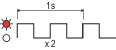 |
(Red) Low power and non-operational (Voltage supplied: < 9 V)
|
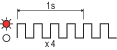 |
(Red) High power and non-operational (Voltage supplied: > 32 V) Ensure that less than 32 V is supplied to the RNS-8. |
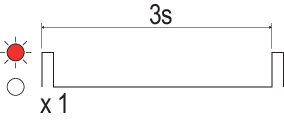 |
(Red) Internal fault Consider contacting your local dealer or Raymarine Product Support. For Raymarine contact details, refer to the following section: Raymarine product support and servicing |
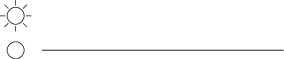 |
(No color) No power Refer to the advice found within the following section: Power up troubleshooting |
RayNet (SeaTalk HS) Port LEDs (2 / 4 / 6 / 8):
| TroubleshootingNetwork LED diagnosticsLED Indication | LED status and action required |
|---|---|
|
(Green) 1,000 Mbits/s Ethernet Active (no transfer) Normal operation — no user action is required. |
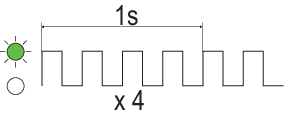 |
(Green) 1,000 Mbits/s Ethernet Active (transferring) Normal operation — no user action is required. |
 |
(Amber) 10 / 100 Mbits/s Ethernet Active (no transfer) Normal operation — no user action is required. |
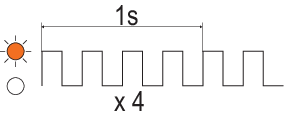 |
(Amber) 10 / 100 Mbits/s Ethernet Active (transferring) Normal operation — no user action is required. |
|
(No color) No network activity detected
|
RayNet (SeaTalk HS) PoE Port LEDs (1 / 3 / 5 / 7) — with a non-PoE device connected:
| TroubleshootingPoE Status LED diagnosticsLED Indication | LED status and action required |
|---|---|
|
(No color) 10 / 100 / 1000 Mbits/s Ethernet Active (transferring) Normal operation — no user action is required. |
RayNet SeaTalk HS) PoE Port (1 / 3 / 5 / 7) LEDs — with a PoE device connected:
| TroubleshootingPoE Status LED diagnosticsLED Indication | LED status and action required |
|---|---|
|
(No color) Not providing power
|
|
(Green) Supplying power Normal operation — no user action is required. |
|
(Amber) Connected device requires more than 30 W If a connected PoE device requires more power than the PoE port’s maximum power output, then it will not be powered.
|
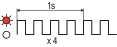 |
(Red) Internal fault Consider contacting your local dealer or Raymarine Product Support. For Raymarine contact details, refer to the following section: Raymarine product support and servicing |