Wi-Fi settings (Axiom 2-Series displays)
Wi-Fi Access Point (AP) or hotspot connection settings.
Wi-FiSettingsConnectionsWi-FiInternet
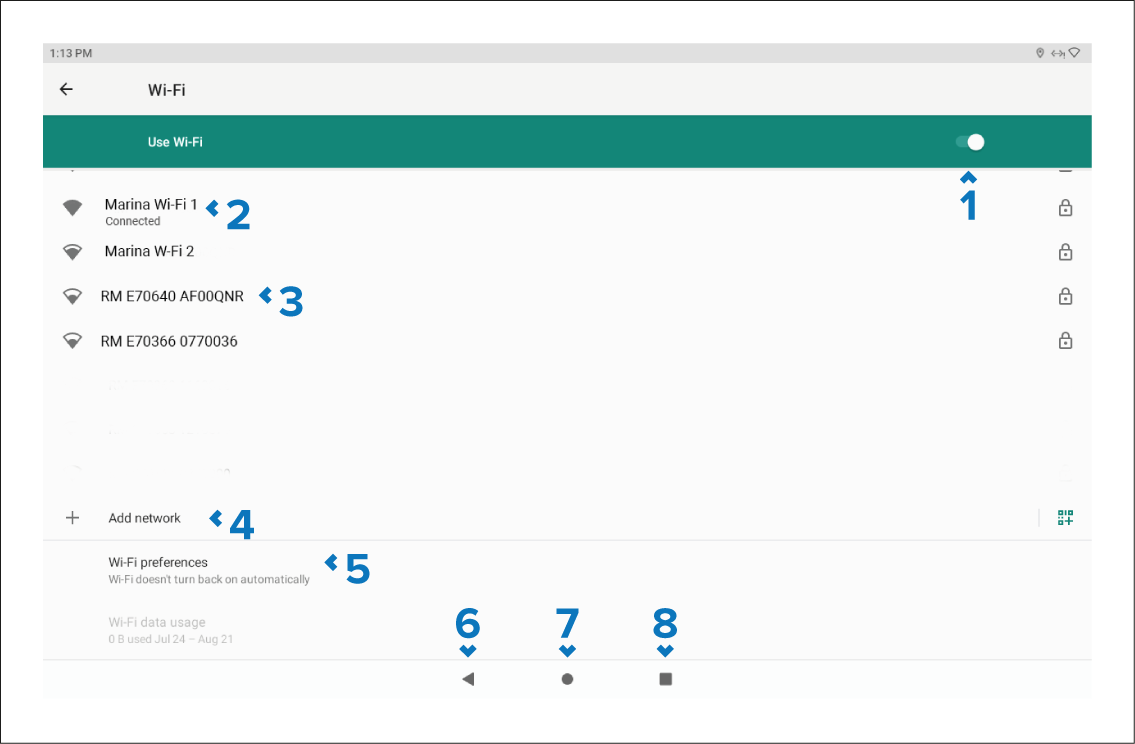
Enable / Disable Wi-Fi.
Connected Access Point (AP).
Available Access Points (AP).
Add network — Manually add a network.
Wi-Fi preferences — Provides Wi-Fi connection options.
Back button — Go back to the previous menu.
Home button — Go back to the previous menu.
View open apps — Go back to an open LightHouse apk app.