LED Diagnostics

LED indication

TroubleshootingLED DiagnosticsLED indications

Status and required action

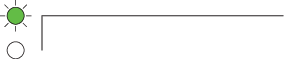
(Green) Power ON

  • No user action required.

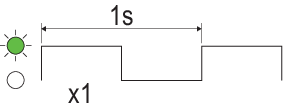
(Green) Normal operation

  • No user action required.

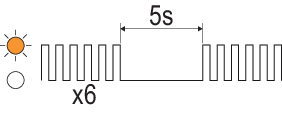
(Amber) No network detected

  • Ensure the network is powered.

  • Ensure that the network cable and connections are secure and free from damage.

  • If the problem continues to persist, contact Raymarine technical support.

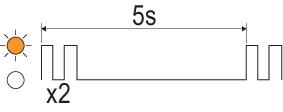
(Amber) Under voltage (<10.2 V)

  • Ensure that the power cable and connections are secure and free from damage.

  • Ensure that the power supply cabling is consistent with recommendations.

  • If the problem continues to persist, contact Raymarine technical support.

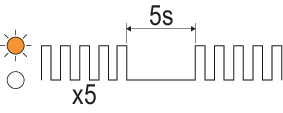
(Amber) Over voltage (>34.2 V)

  • Ensure that the power supply levels are consistent with recommendations.

  • If the problem continues to persist, contact Raymarine technical support.