Wi-Fi settings (Axiom-Series displays)
The Wi-Fi settings menu provides settings to connect the display to a Wi-Fi access point or hotspot.
Wi-FiSettingsConnectionsWi-FiInternet
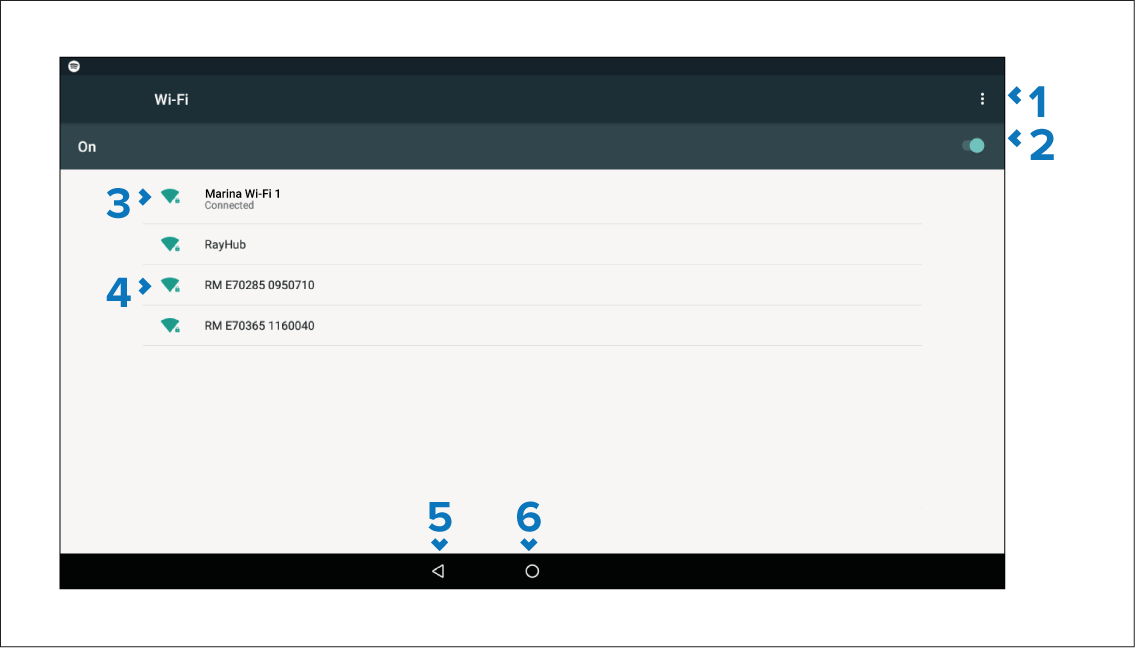
- Wi-Fi options — Provides the following options:
Add network — Manually add a network.
Saved networks — View a list of all saved networks.
Refresh — Rescan available networks.
Advanced — View advanced network settings.
Enable/Disable Wi-Fi.
Connected access point.
Available access points.
Back button — Go back to the previous menu.
Home button — Go back to the previous menu.