Radar scanner initial power on test
Once all cables have been connected, it’s important
to perform an initial power on test, to confirm correct operation.
Ensure that all cables have been correctly and securely connected to both the pedestal and a compatible multifunction display (which should initially be powered OFF):
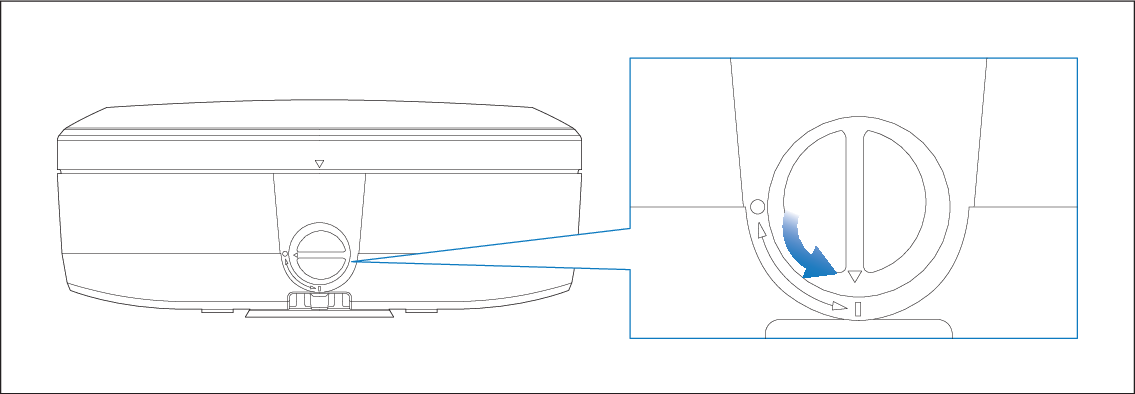
- Ensure that the pedestal’s Power/Safety switch is
set to ON (i.e. the switch is in the 6 o’clock position).
Note
For information on performing a Radar test in the Radar app, refer to: Opening the Radar app
For an explanation of Pedestal LED status indications, refer to: Cyclone LED indications