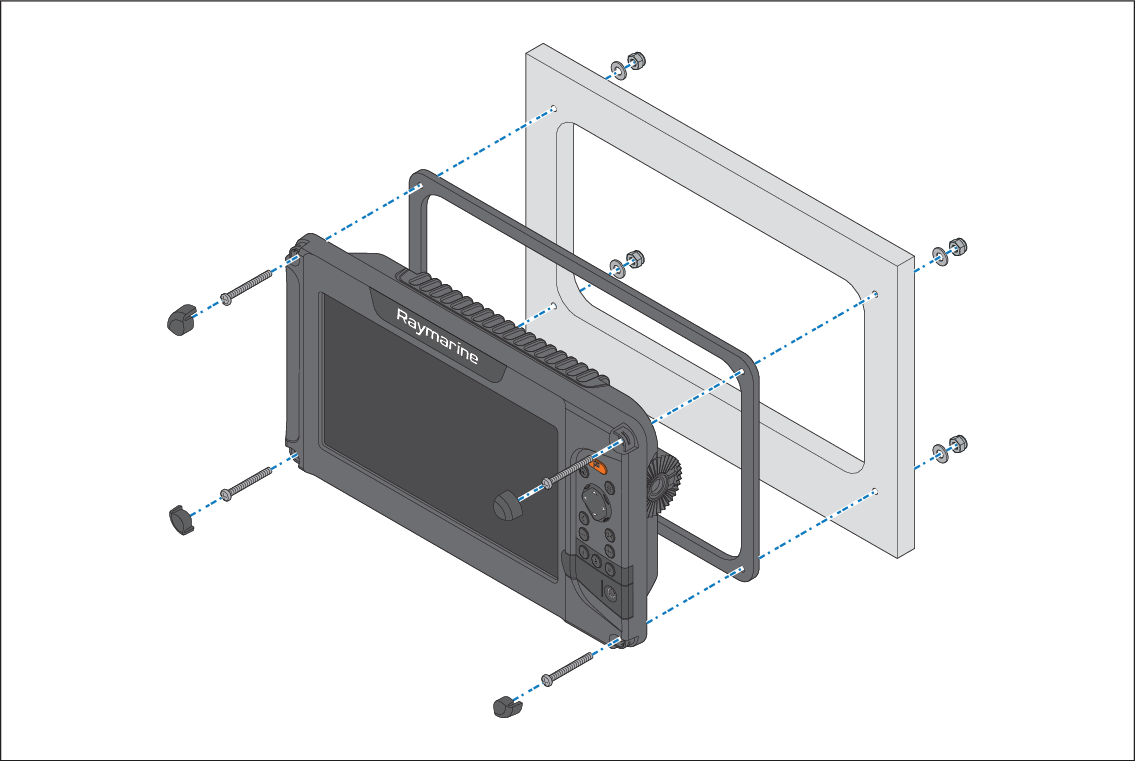
The supplied mounting gasket and fixings can be used to
surface mount the display.
Before mounting the display, ensure that you have:
chosen a suitable location, using the guidance provided;
identified the required cable connections and routed the cables
to the mounting location.
InstallationSurface mounting
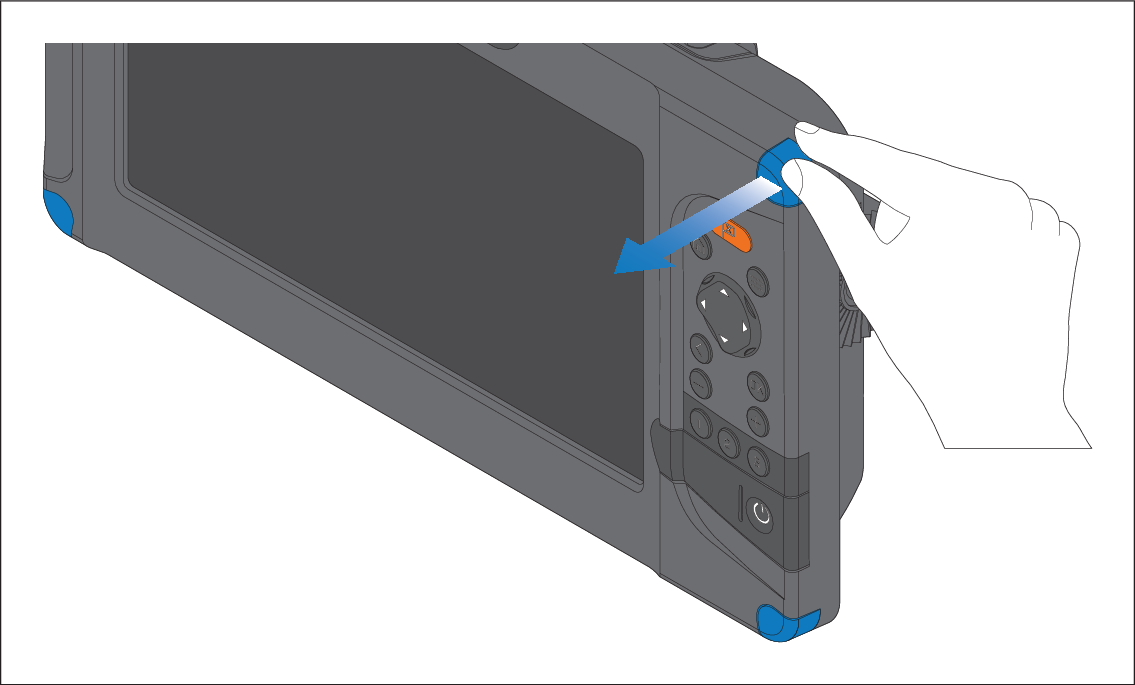
Remove the 4 screw covers from the corners of the display.
Check the chosen mounting location. A clear, flat area
with suitable clearance behind the panel is required.
Fix the supplied mounting template to the chosen location
using masking or self-adhesive tape.
Using a suitable hole saw (the size is indicated on the
template), make a hole in each corner of the cut-out area.
Using a suitable saw, cut along the inside edge of the
cut-out line.
Ensure that the unit fits into the removed area and then
file around any rough edges until smooth.
Drill 4 holes as indicated on the template to accept the
fixings.
Place the gasket onto the rear of the display and press
firmly onto the flange.
Connect the power, data and other cables.
Slide the unit into place and secure using the fixings
provided.
Refit the screw covers.
Note
The supplied gasket provides a seal between the unit
and a suitably flat and stiff mounting surface or binnacle. If the
mounting surface or binnacle is not entirely flat and stiff or has
a rough surface finish, in addition to using the mounting gasket it
may also be necessary to use marine-grade sealant.