Connections overview
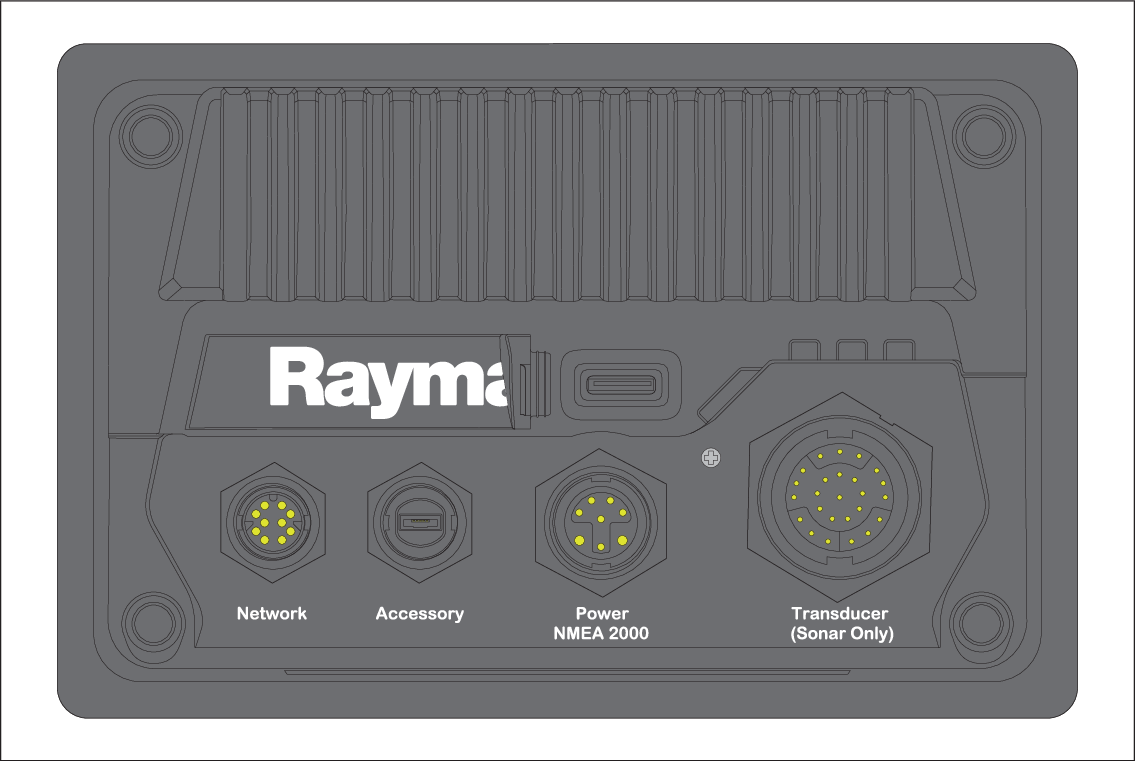
MFD connections
The following connections are available on your display.
ConnectionsConnectors
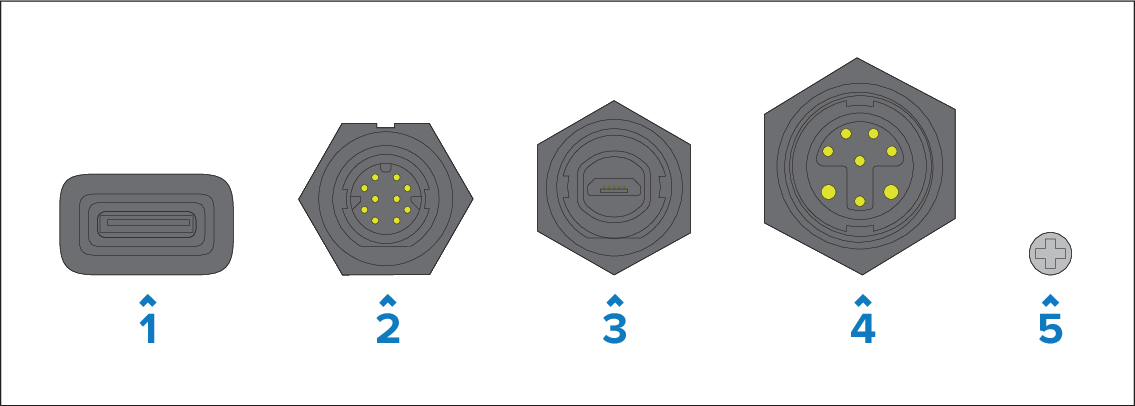
MicroSD card reader — Connects to a MicroSDXC memory card.
Network — Connects to a RayNet network or device. For more information, refer to: Network connection
Accessory — Connects to an external card reader, such as the RCR-SD/USB (part number A80440). For more information, refer to: Accessory connection
Power / NMEA 2000 — Connects to a 12 V dc power supply and an NMEA 2000 (or SeaTalk NG™) backbone. For more information, refer to:
Optional grounding point — The optional grounding point should only be used when the display experiences touchscreen or power swipe interference from nearby equipment. For more information, refer to: Grounding — optional dedicated drain wire
Transducer connections
ConnectionsConnectorsTransducer connections
The range of transducer connections that are available will vary depending on your display variant.
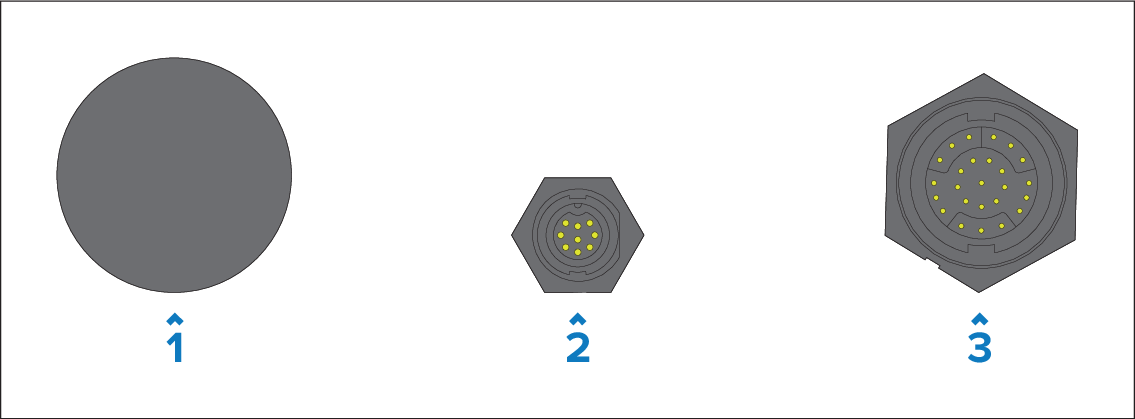
No connection (Axiom Chartplotter only display variants) — The display must be connected to a separate sonar module in order for sonar features to be enabled.
DownVision (Axiom DV display variants) — Connects directly to DownVision / CPT-Series transducers and to other compatible transducers via the use of an adaptor cable. For more information, refer to: Transducer connections — Axiom DV
RealVision (Axiom RV 3D display variants) — Connects directly to RealVision transducers and to other compatible transducers via the use of an adaptor cable. For more information, refer to: Transducer connections — Axiom RV 3D