Screen overview
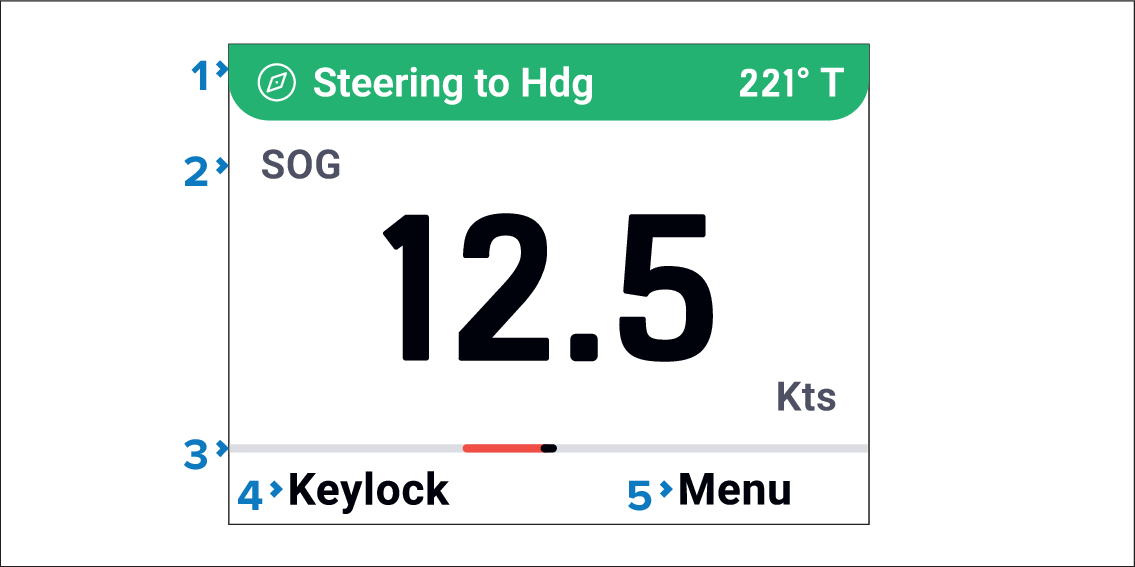
AutopilotStatus barAutopilot status bar — The bar identifies the current pilot mode and expands when the MODE button is pressed so that an autopilot mode can be selected.
Main window — The main window is used to display data pages, notifications and menus.
RudderIndicator barRudder indicator bar — The bar indicates rudder position.
Left soft button — Identifies the action assigned to the Left soft button
Right soft button — Identifies the action assigned to the Right soft button
The actions assigned to the Left soft button and Right soft button are context sensitive.