Selecting a transducer for calibration
Supported transducers can be calibrated from the Data sources menu.
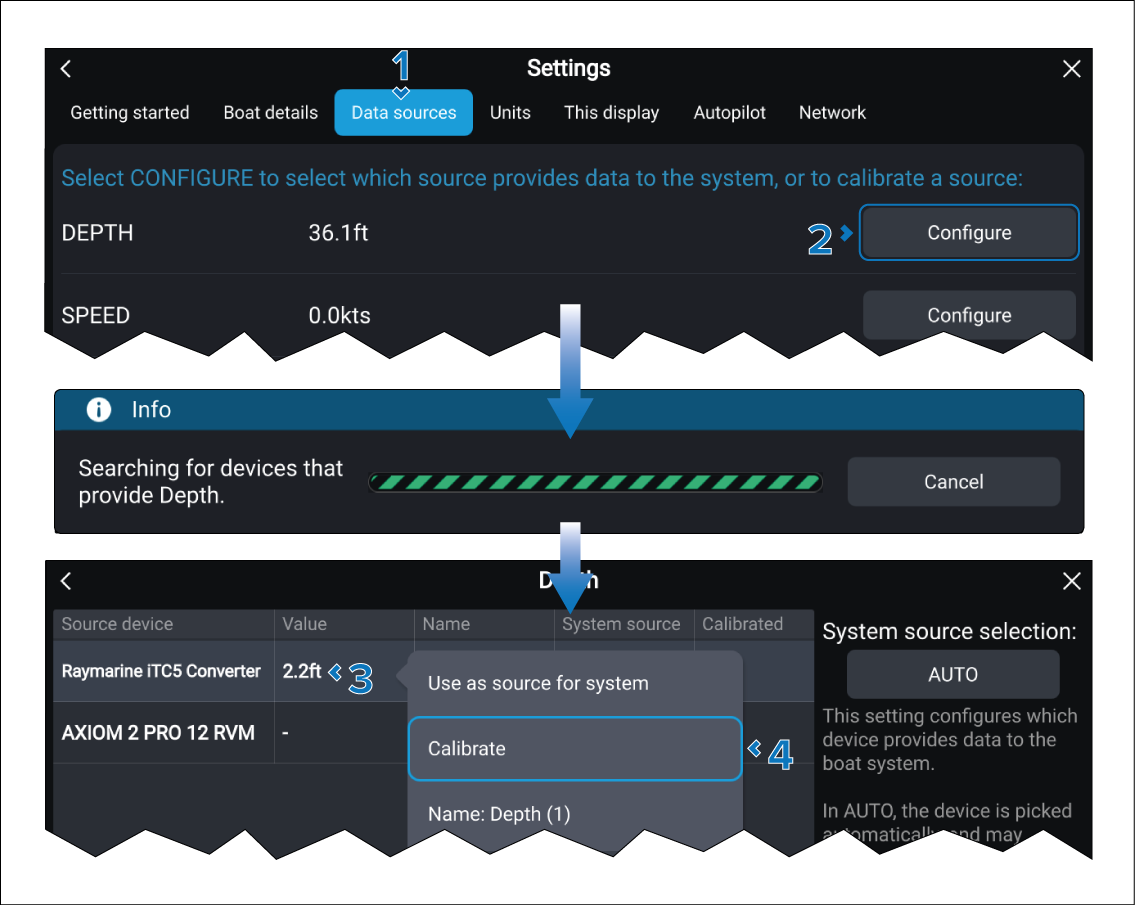
- Select the Data sources tab.
- Select the Configure button next to the relevant item you want to calibrate.
- Select the relevant transducer from the list.
- Select Calibrate from the Pop-over menu.
Now refer to the relevant calibration information: