Navionics dynamic current graphic
When the Tides layer is enabled or when the Chart app is in Tides mode, the standard Current station symbol is replaced with a dynamic Current graphic. Arrows are used to indicate the direction of current flow.
The length of the arrow indicates the speed of the current; the longer the arrow, the faster the speed. The border color of the arrow indicates increasing or decreasing speed.
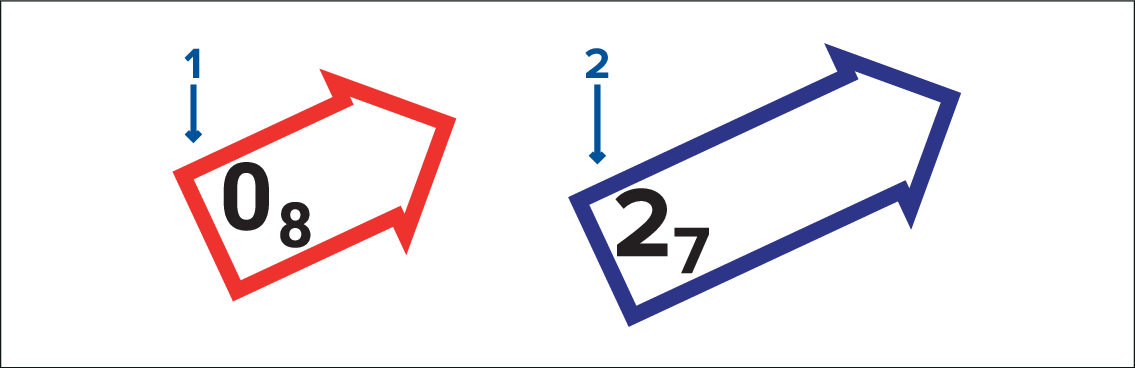
Red = increasing current speed.
Blue = decreasing current speed.
Current speed is shown inside the arrow. Current speed is displayed in user-selected speed units, with decimals displayed in subscript. Decimals are not shown for values of 10 or greater.
If tidal conditions are “slack”, the word “SLACK” appears in a box with a Blue border.