Alpha-Series product information via chartplotter
Product information for your Alpha-Series display can be viewed from a compatible chartplotter.
Product information
Selecting your Alpha-Series display from the chartplotter’s Network settings menu () opens the pop-over menu. Select the Product info option to open the Product information page, where you can view hardware and software details for your Alpha-Series display.
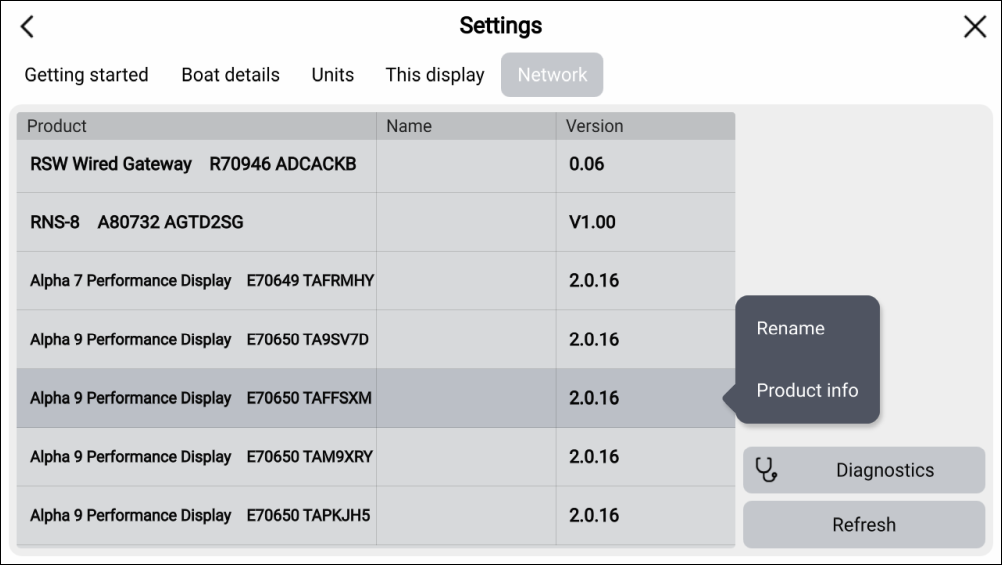
You can also add a friendly name for your Alpha-Series displays by selecting the Rename option from the pop-over menu.