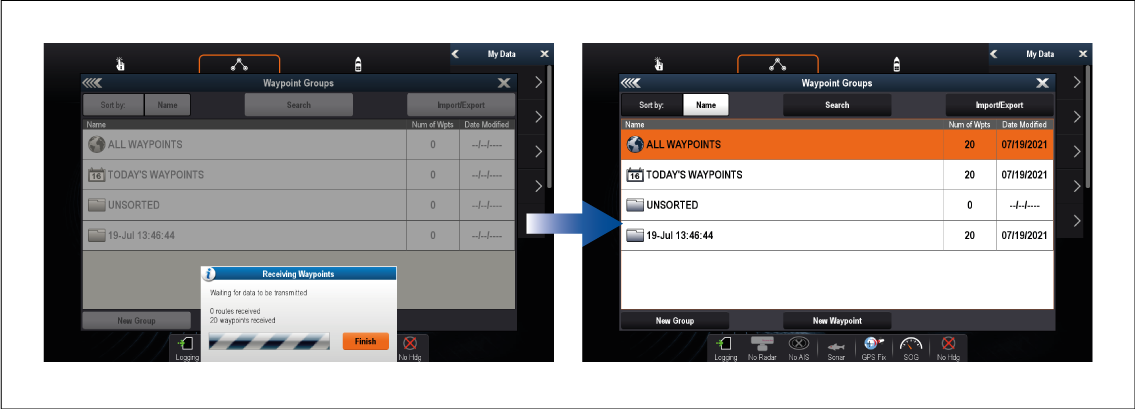
Exporting waypoints or routes over NMEA 0183
This procedure details exporting waypoints or routes from a chartplotter running LightHouse v3.0.40 or later to a LightHouse 2 (USCG SINS2) chartplotter.
It may be possible to export waypoints and routes to other NMEA 0183 devices following a similar procedure, refer to the instructions that accompanied the NMEA 0183 device and use them in place of the LightHouse 2 (USCG SINS2) steps below.
- NMEA 0183Exporting waypointsExporting RoutesEnsure that an NMEA 0183 output port on the sending MFD is correctly connected
to an NMEA 0183 input port on the LightHouse 2 (USCG SINS2) chartplotter.
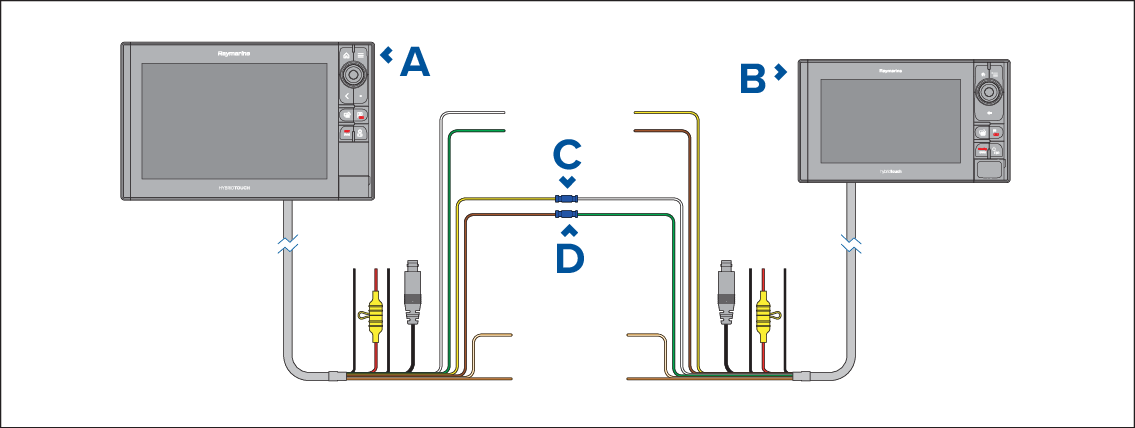
Figure 1. Example NMEA 0183 connection
Sending chartplotter running LightHouse v3.0.40, or later.
LightHouse 2 (USCG SINS2) chartplotter (e.g.: eS series)
Example connection Port 1, positive output (Yellow) to Port 1, positive input (White)
Example connection Port 1, negative output (Brown) to Port 1, negative input (Green)
NoteIf you require 2 way transfer of waypoint and routes also connect:Example connection Port 1, positive input (White) to Port 1, positive output (Yellow)
Example connection Port 1, negative input (Green) to Port 1, negative output (Brown)
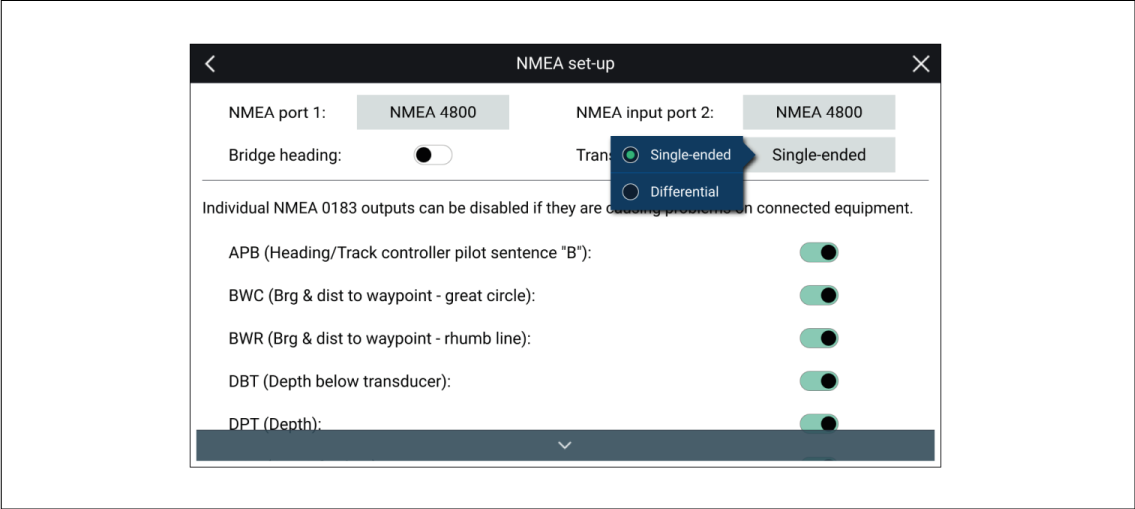
- Ensure the sending chartplotter’s NMEA 0183 Transmission
mode setting is set to Single-ended.
The Transmission mode settings is located on the NMEA set-up menu page:
- From the LightHouse 2 (USCG SINS2) chartplotter:
- Select My data from the Homescreen.
- Select either Waypoints or Routes.
- Select Import/Export from the top of the waypoint list / routes list.
- Select either Import Waypoints from Connected Device (0183) or Import Routes from Connected Device (0183).
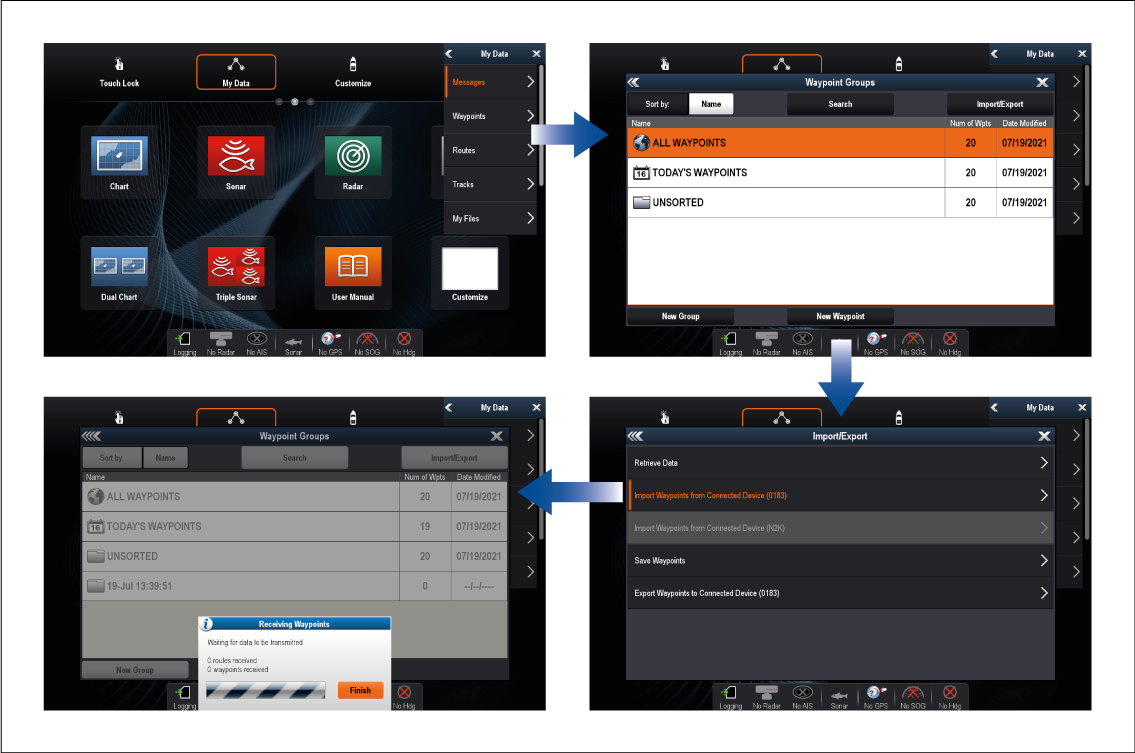
The LightHouse 2 (USCG SINS2) chartplotter will be waiting to receive over NMEA 0183 connection.
- From the sending chartplotter:
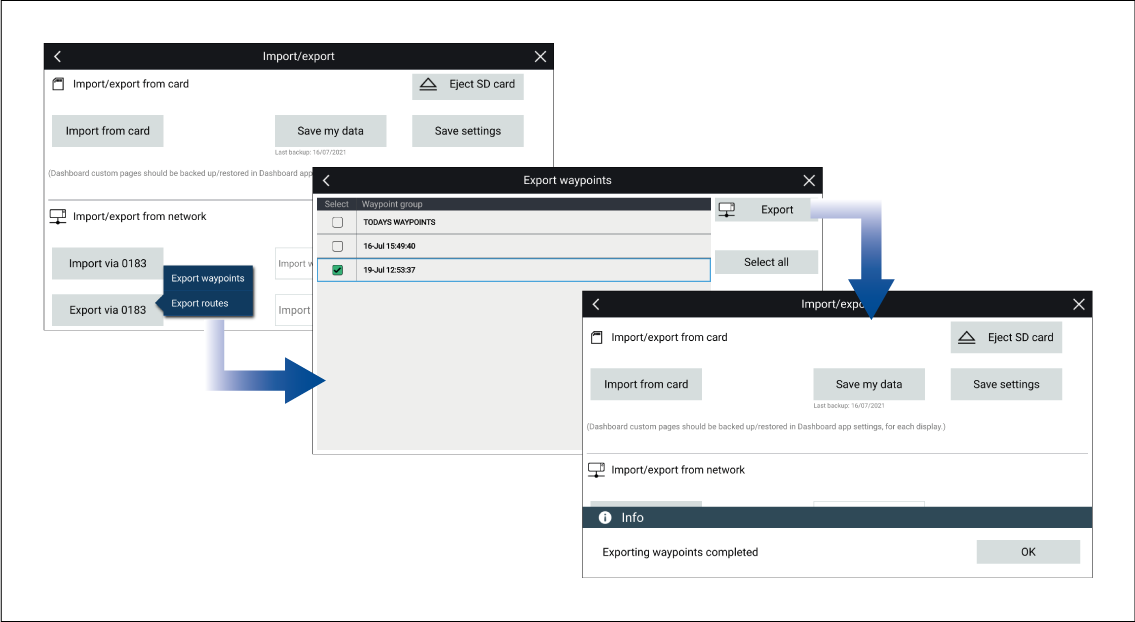
- Select Export via 0183 from the Import/export menu: .
- Select either Export waypoints or Export routes.
- Select the waypoints or the routes that you want to export.
- Select Export.
- Select OK on the export complete dialog.
- From the LightHouse 2 (USCG SINS2) chartplotter: