Creating a page using a template

New pages can be created using the Templates page type.
Data appTemplate pages
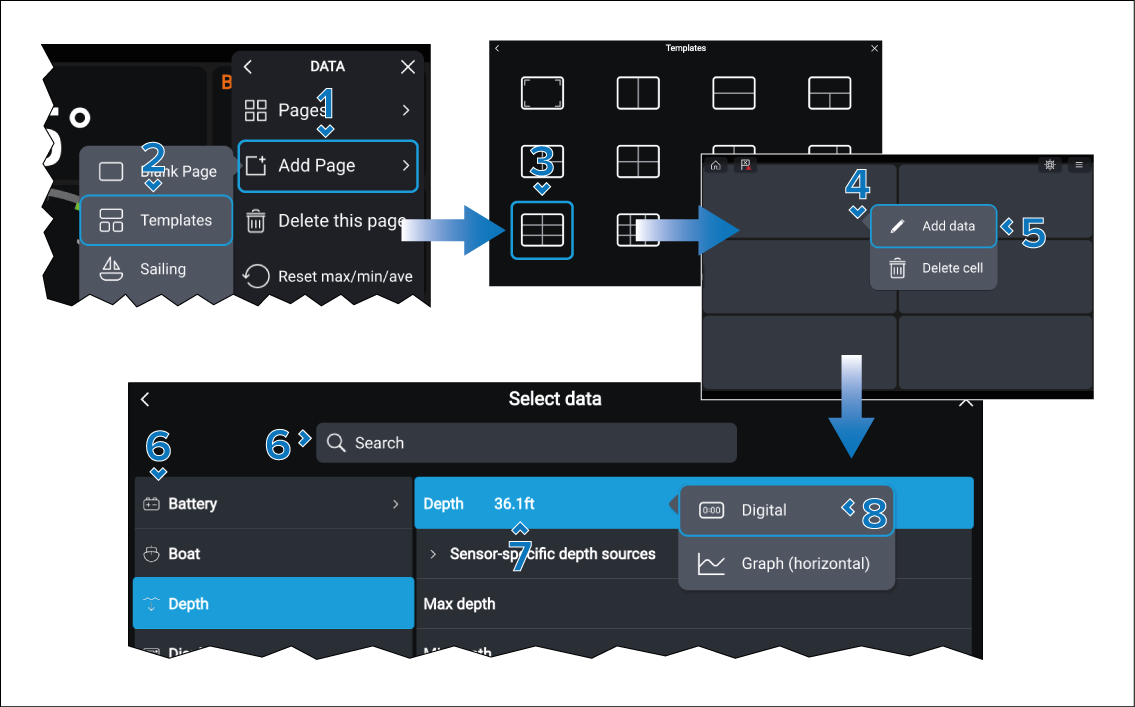
  1. Select the Add Page option from either the main menu, or the Pages menu.
  2. Select the Templates option.
  3. Select a template from the available options.

    For more information refer to: Template pages

  4. Select and hold on one of the blank data cells.

    The Add new pop-over is displayed.

  5. Select the Add data option.
  6. Browse the data category, or search for the data item you want to add.
  7. Select the data item.
  8. Select the widget type and widget orientation, where applicable.

    The data item will be added to the blank page

  9. Repeat steps 4 to 8 for the remaining data cells.

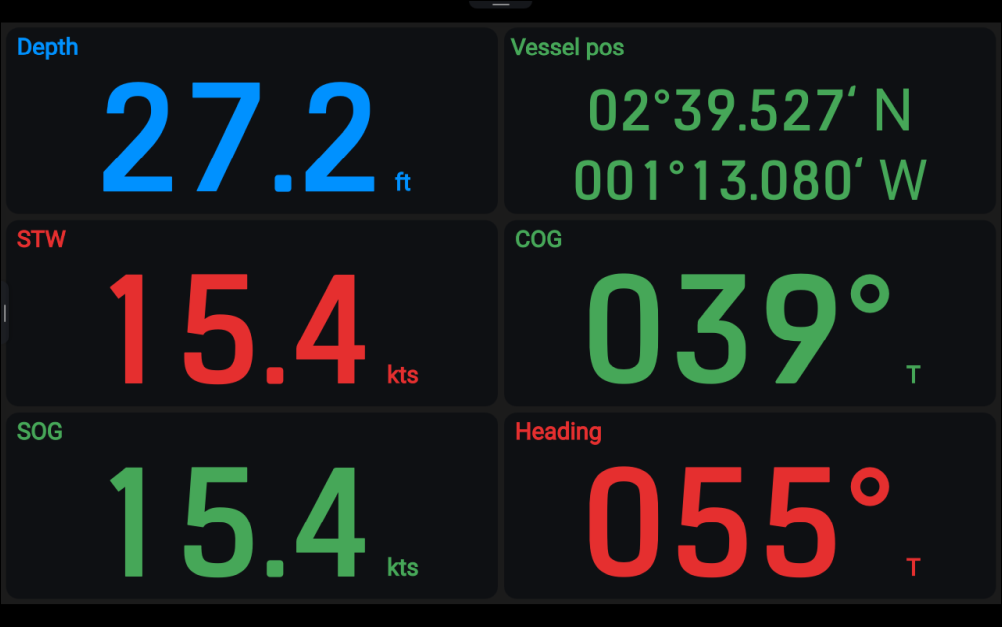
Example of a navigational data page created using a Template: