Viewing product information from a chartplotter

Hardware and software information related to your product can be viewed from a compatible chartplotter running LightHouse 4.
Product information

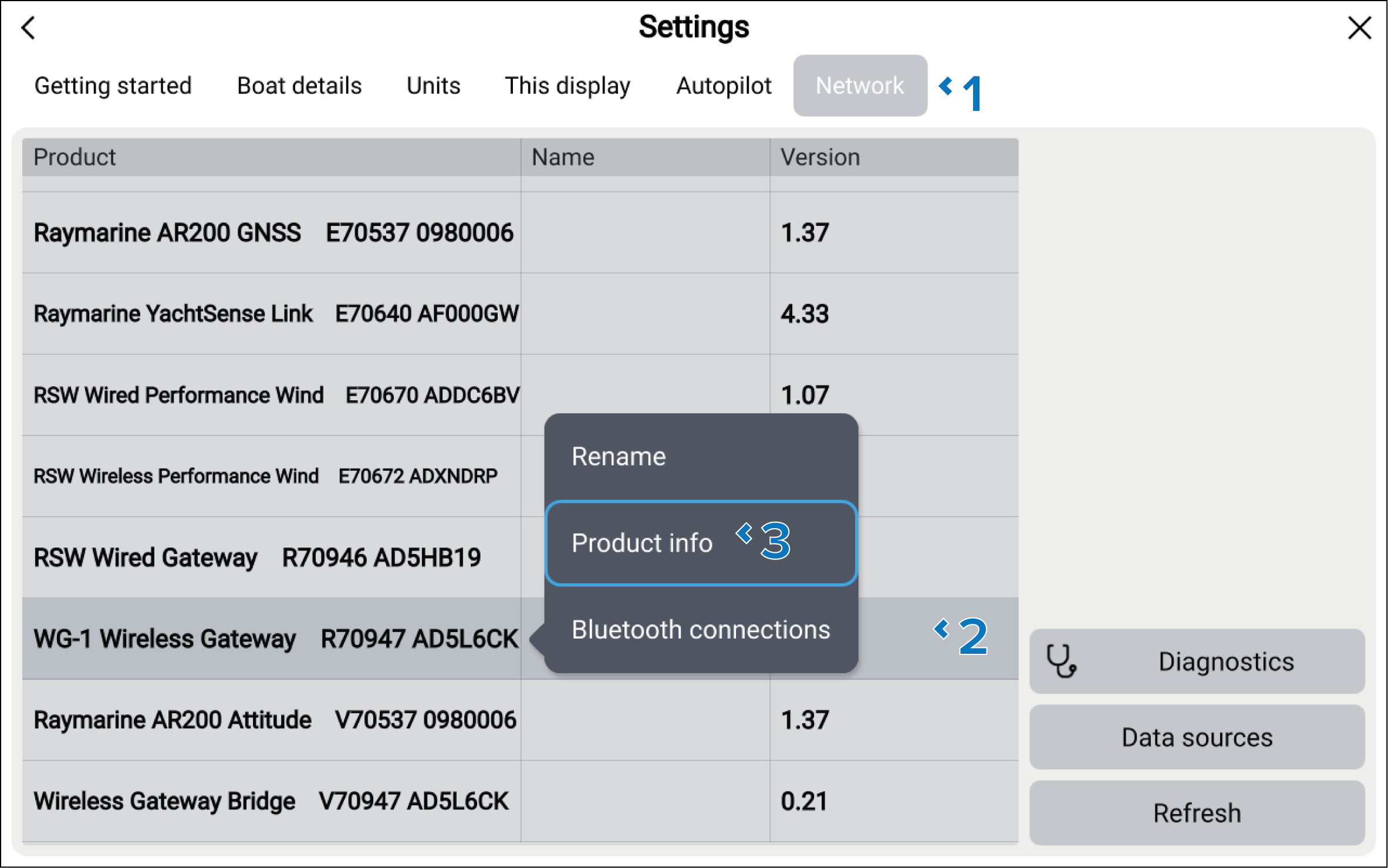
From the Homescreen > Settings menu:

  1. Select the Network tab.
  2. Select your device from the network list.

    The software version for your device will be listed in the Version column of the network list.

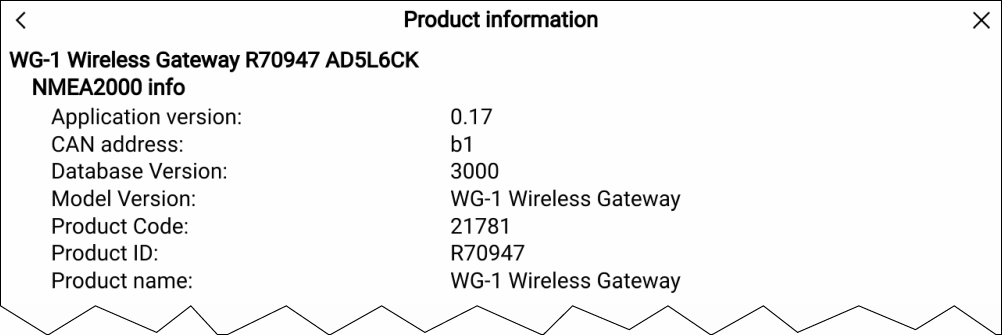
  3. Select Product info from the pop-over options.

The product information details for the selected device will be displayed.