Setting the countdown timer
The countdown timer is located in the Alarms menu.
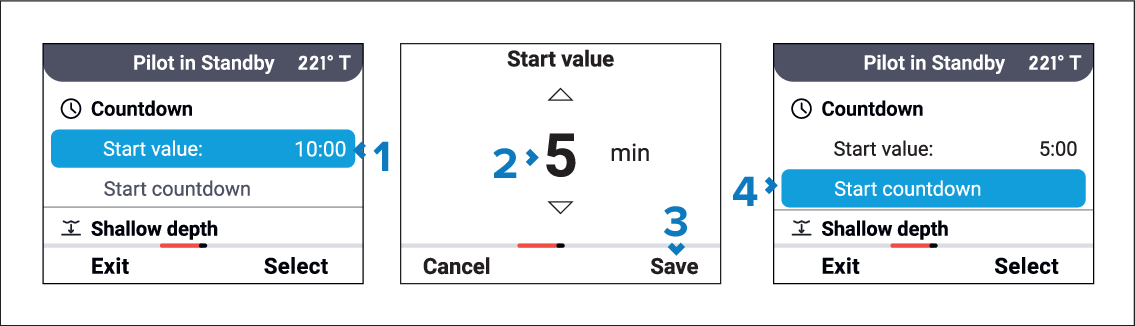
- Select Start value.
- Use the Up and Down buttons to adjust the Start value.
- Select Save.
- Select Start countdown.
The countdown timer page will be displayed.

While the countdown timer is running:
An audible tone will sound from 5 minutes at each whole minute.
An audible tone will sound from 10 seconds for each whole minute.
When the timer reaches zero an alarm will sound and a notification is displayed.
You can Pause and Resume the countdown using the Left soft button