Performing a tack
Use the Tack settings to perform
a Tack.
If your current locked wind angle is to starboard, the Tack to port setting will be available.
If your current locked wind angle is to port, the Tack to starboard setting will be available.
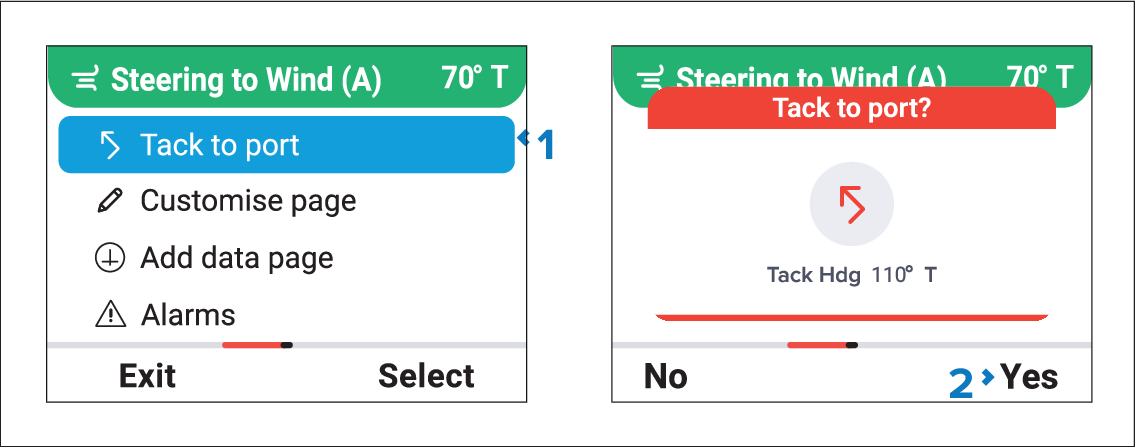
Figure 1. Example Port tack
- Select either Tack to port, or Tack to starboard from the main menu.
- Press the Yes (Right soft) button to confirm the tack.
When you tack the vessel turns through the Tack angle. The autopilot will then adjust the heading to mirror the locked wind angle from the previous tack.