Page management overview
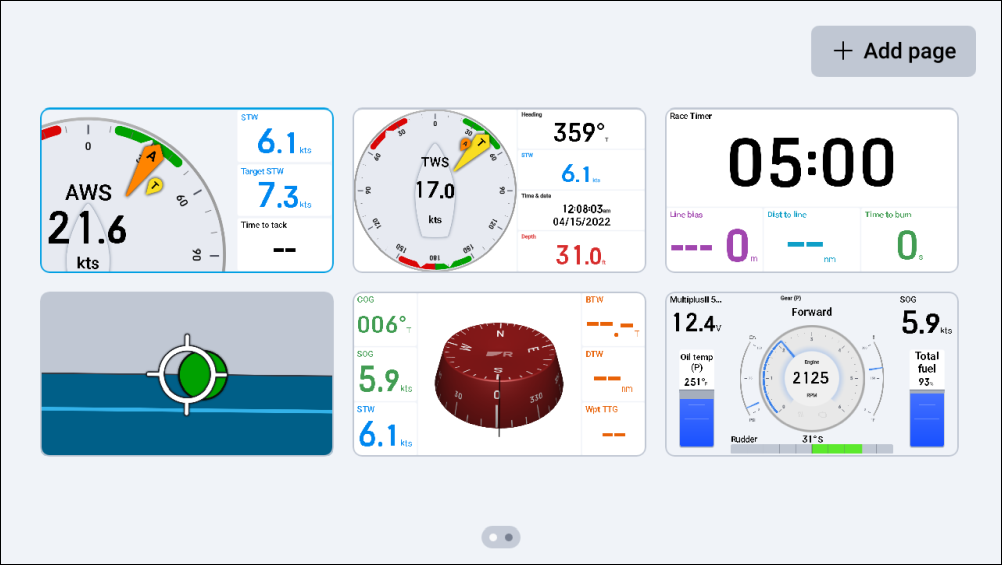
The Pages screen provides a horizontally-scrollable live view of the currently configured data pages.
Page managementOverviewPage management overviewPages
Data pages can be added, reordered, duplicated, deleted, selected and configured to auto-select via the Pages screen.
The Pages screen can be accessed via the Overlay menu or when you use a pinch-in gesture with the touchscreen, when viewing a data page.
Note
A live view of the following page preset(s) / widget(s) is not available when viewing the Pages screen:
Camera widgets.
Autopilot control page preset.
In the aforementioned instances, the live view is replaced with a corresponding icon and description.