Widget functions
In addition to the customizable widget options available, you can tap the following data items and corresponding widgets to display separate functions specific to the widget.
Widget managementWidget functionsWidget functions
Available functions for the Min (...) / Max (...) / Average (...) / Trip (...) related data items:
Reset (...) — resets the value shown on both your multifunction display / chartplotter and performance display.
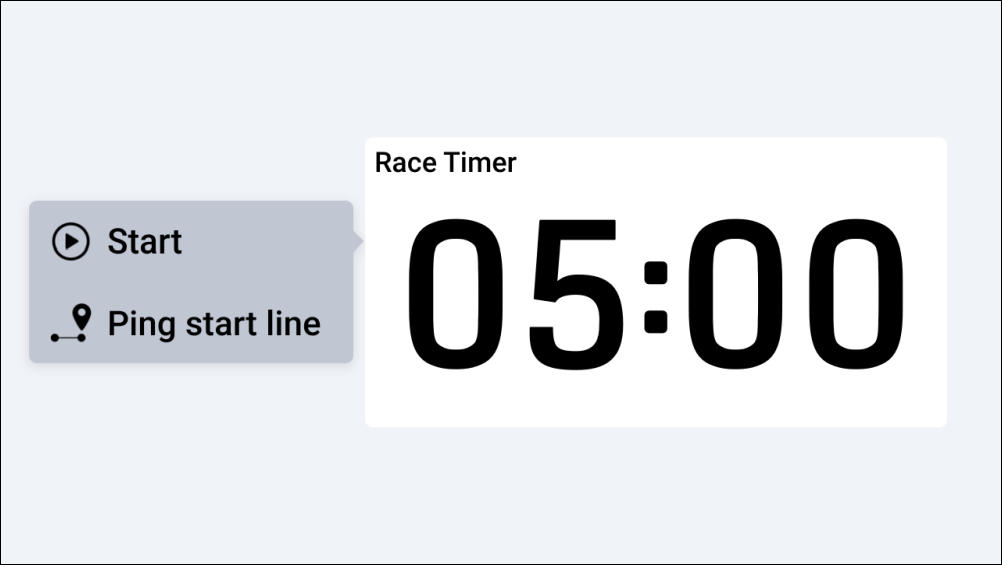
Available functions for the Race timer, Line bias, Dist to line, Time to burn data items:
Widget functionsRace timerPing start line — displays a Start Line pop-up which contains the following options:
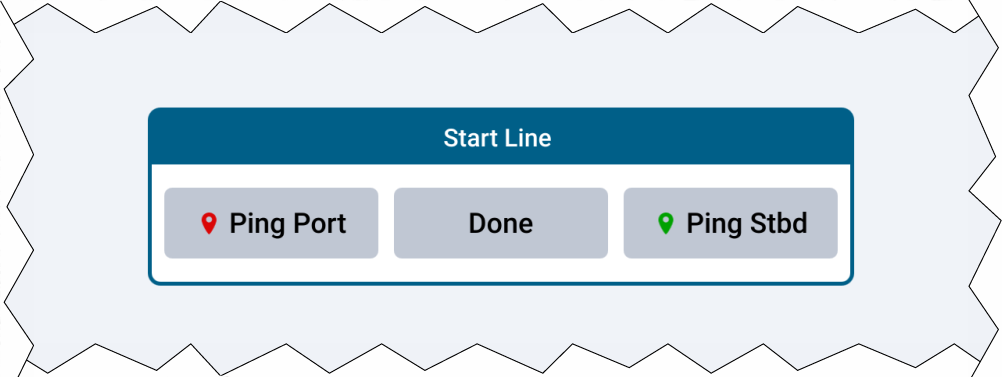
Widget functionsRace timerPing Port — Places a port end point at your vessel’s current location. Once selected, a Port end set pop-up will appear. If both port and starboard end points have been created, a race start line will be drawn between the two points on your multifunction display / chartplotter.
Widget functionsRace timerPing Stbd — Places a starboard end point at your vessel’s current location. Once selected, a Starboard end set pop-up will appear. If both port and starboard end points have been created, a race start line will be drawn between the two points on your multifunction display / chartplotter.
Widget functionsRace timerDone — closes the Start Line pop-up.
Available functions for the Race timer data item:
Widget functionsRace timerStart — starts a race timer on both your performance display and multifunction display / chartplotter. Once started, a beep will sound every minute, on the minute mark. When 30 seconds are remaining on the timer, 3 beeps will sound. When 10 seconds are remaining on the timer, 2 alternating beeps will sound every second until the timer reaches zero. The default race timer duration can be changed from your connected multifunction display / chartplotter.
Widget functionsRace timerSync nearest minute — synchronizes the race timer to the closest minute. This function is available once Start has been selected.
Widget functionsRace timerUp 1m — increases the time remaining on the race timer by one minute. This function is available once Start has been selected.
Widget functionsRace timerDown 1m — decreases the time remaining on the race timer by one minute. This function is available once Start has been selected.
Widget functionsRace timerStop & reset — stops and resets the race timer. Once stopped, a beep will sound. This function is available once Start has been selected.
Available functions for the Camera related data items:
Widget functionsCameraVisible light — changes the selected camera feed to Visible light. This function is only available if your camera supports both Visible light and Thermal camera feeds.
Widget functionsCameraThermal — changes the selected camera feed to Thermal. This function is only available if your camera supports both Visible light and Thermal camera feeds.