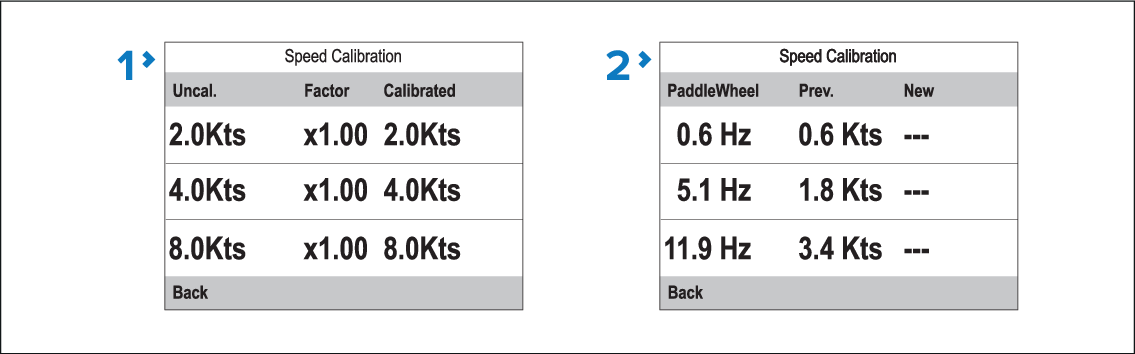
Calibration points are stored in the calibration
table.
CalibrationSpeedSpeed calibrationCalibration tableFrom a favorite page:
- Press the Menu button.
- Select Set-up.
- Select Transducers Set-up.
- Select Continue.
The display will search for and show a list of connected
devices. (i.e. iTC-5, DST or transducer pod)
- Select the device that the transducer you are calibrating
is connected to.
A list of available transducer data is displayed.
- (1)Select Speed.
This step is only applicable when calibrating a speed transducer
connected via an iTC-5.
- Select Speed Calibration.
- Select Advanced.
- Select View cal table.
The calibration table is displayed.
- Speed transducer connected via iTC-5 or speed pod.
- Smart DST transducer connected directly to SeaTalk NG.
- Use the Up and Down buttons to scroll up and down through the table.
- Select Back to return to the Advanced
Menu.