Calibrating wind
Calibration of wind transducers is important to ensure accurate
data is displayed.
Note
The following details apply to legacy Long arm and Short arm wind vane transducers and the Rotavecta wind transducer.
Prerequisites:
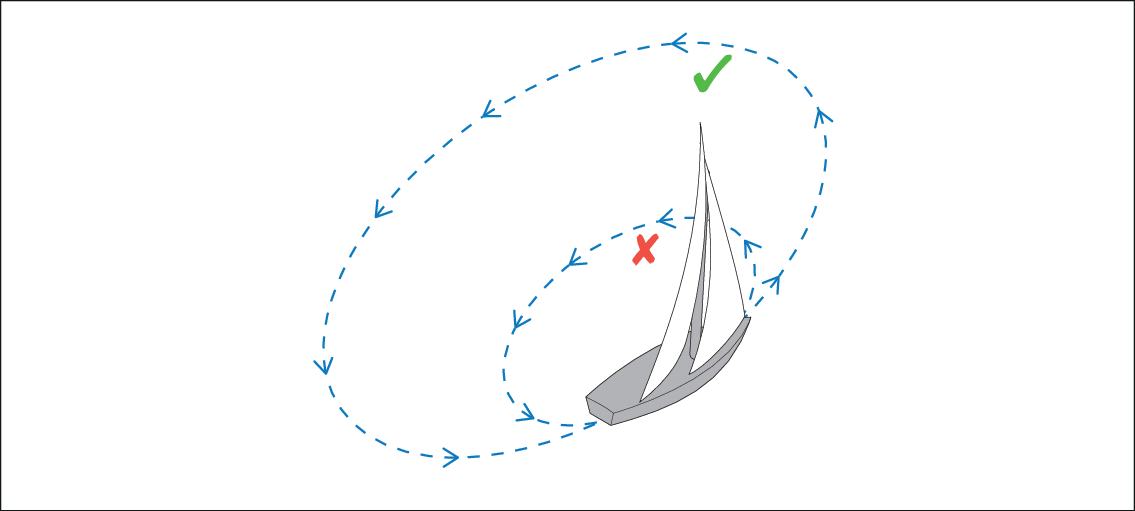
You will need to be underway, with sufficient space to turn in a large slow circle unhindered.
Conditions should be calm (i.e. a slight sea) and a steady breeze. Try to ensure the vessel is not rolling or pitching too much.
CalibrationWindWind calibrationFrom a favorite page:
- Continue turning the vessel in circles until ‘Complete’
is displayed onscreen.
If your rate of turn is too fast during calibration, a ‘Slow down’ message is displayed. If this happens, reduce your rate of turn, this can be achieved by slowing down and / or steering in a wider circle.
If required, you can manually adjust each part of the calibration steps by selecting the relevant options from the Wind menu.