Mounting the charging holster for the wireless handset
Before mounting, ensure that:
Your selected location meets the location requirements found in this document.
You pay particular attention to the wireless location requirements.
The product operates correctly at the desired location before mounting.
The product does not interfere with nearby devices.
MountingWireless handset
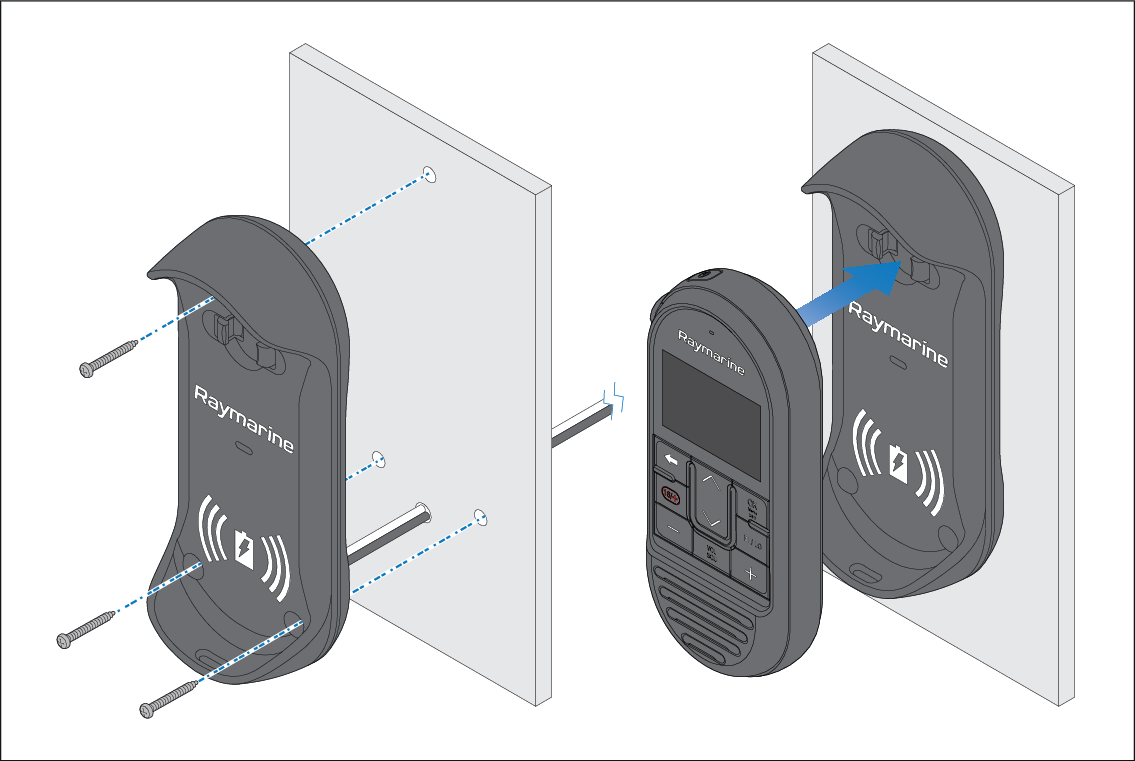
- Using the supplied mounting template mark the location of the mounting holes and if required, the cable hole.
- Drill the mounting holes using a suitable size drill bit.
- If required, use a 6.5 mm (0.26 in) drill bit to drill a hole for the holster’s power cable.
- Hold the holster in place and secure using the screws provided.
- Place the Handset into the holster, ensuring it clicks into position.