Video connections
The camera supports multiple video formats, and is capable of providing different video feeds to multiple devices, simultaneously.
Furthermore, with the dual payload camera variants you can use a combination of different video connection methods to display both thermal and visible-light video feeds simultaneously. For example, you can view the thermal video feed via a display connected to the camera’s HD-SDI connector, and the visible-light video feed at the same time, via a display connected to the camera’s RayNet (Ethernet) connector.
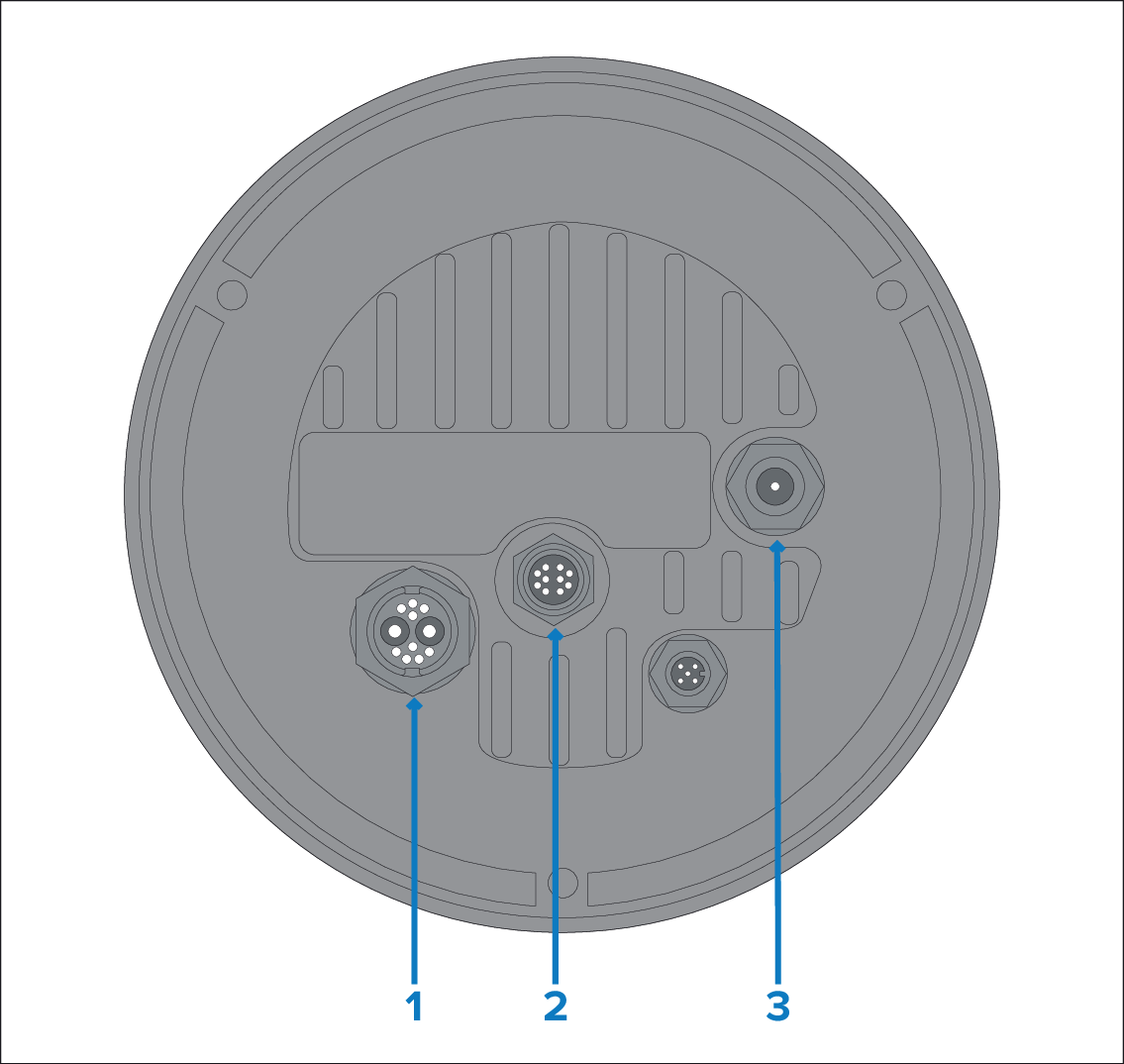
The different camera video output methods are described below:
Connector |
Video format |
|---|---|
1) Composite video BNC connector on camera’s power cable |
Analog PAL / NTSC composite video — on dual-payload cameras, this video feed is user-selectable between visible-light and thermal. |
2) RayNet (Ethernet) Primary digital IP video streams:
|
Supported codecs:
Supported resolutions:
Supported protocols: ONVIF (Profile S) or RTSP |
2) RayNet (Ethernet) Secondary digital IP video streams: Secondary streams are available in addition to, and at the same time as, primary streams. Depending on your chosen camera model, secondary streams can be any combination of thermal and / or visible-light video feeds.
|
Supported codecs:
Supported resolutions:
Supported protocols:
|
3) HD-SDI |
Digital video, SDI format, HD-SDI (SMPTE-292M). |
When streaming digital IP video to multiple devices via the RayNet (Ethernet) connector and a network switch, it may be necessary to set the Enable Multicast option to “Yes”, in the Camera Settings menu. Multicasting is very effective at optimizing bandwidth in systems where multiple users on the same network require access to the same live IP video stream. The default setting for the camera is “No” (i.e. only Unicast video streams), which means that the stream can only be received by a limited number of IP devices (typically less than 3). For more information, refer to:
It is also possible to connect to an HDMI-capable display or device, via a suitable third-party HD-SDI to HDMI converter.
The MD‐HX HDMI / (3G/HD/SD)‐SDI Cross Converter is not suitable for use, due to unreliable performance.
Contact your dealer or retailer for suitable devices and cables.
ONVIF profiles help you to determine which IP digital video devices are compatible with one another. For more information on ONVIF profiles, refer to: