Connections overview
ConnectionsOverview
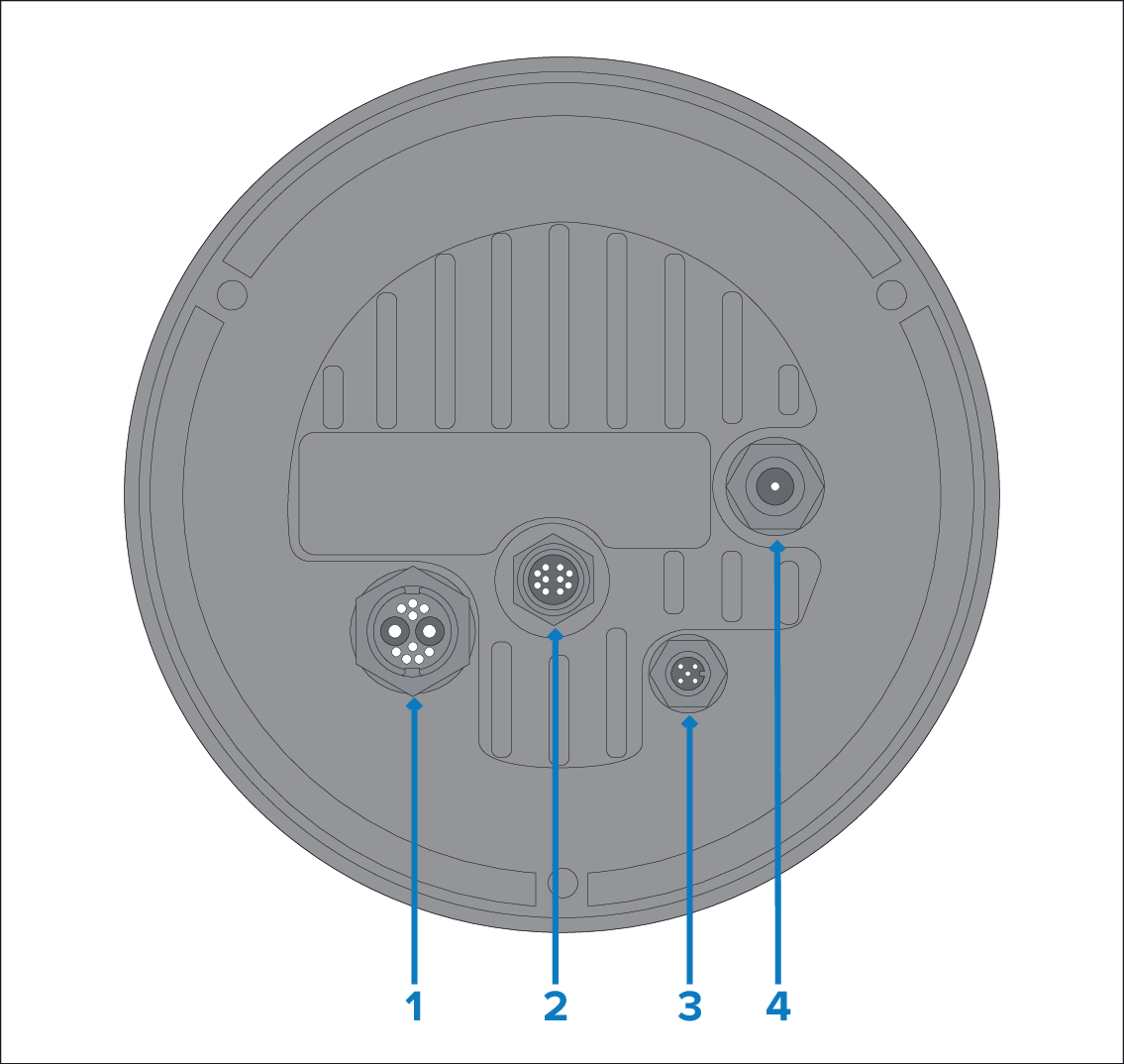
| Connector | Suitable cables |
|---|---|
1) Power / NMEA 0183 / Composite video Connects to:
|
|
2) RayNet (Ethernet) Connects to:
|
|
| ConnectionsDeviceNetDeviceNet 3) DeviceNet This connection is not currently supported. |
Not applicable — this connection is not currently supported. |
4) HD-SDI Connects to:
|
|
For more information on available cables refer to Spares and Accessories
The cables should be routed to a dry area of the vessel for connection. Alternatively you must ensure that all connections are water tight.
The cables should be routed to a dry area of the vessel for connection. Alternatively you must ensure that all connections are water tight.
If you want to make cable connections to the camera before mounting it to your vessel (for example, to test the camera), first attach the 3 threaded studs to the base. This will help to protect the cable connectors on the base of the camera, and also provides a stable platform, helping to prevent damage caused by the unit rolling off the edge of the work surface.